


Pregnancy App & Baby Tracker
BabyCenter
Pregnancy changes quickly, and it is easy to lose track of what you wanted to ask, remember, or prepare between appointments. Pregnancy App & Baby Tracker from BabyCenter is designed to make that changing routine easier to follow on a phone. I found it most useful as a steady companion for week-by-week context rather than as a replacement for medical care. It gives pregnancy information a place in your daily routine, while leaving room for your doctor or midwife to handle personal advice.
The app is free, aimed at a teen audience, and available for Android devices running version 8.0 or later. BabyCenter has been developing it since March 11, 2011, and its current version is 6.15.0. Its popularity is considerable: it has passed 10 million installs, with a 4.9 average from around 1.5 million ratings and roughly 94 thousand written reviews. Those figures do not automatically make it right for everyone, but they do suggest that it has become a familiar tool for many expectant parents.
How the app fits into real pregnancy routines
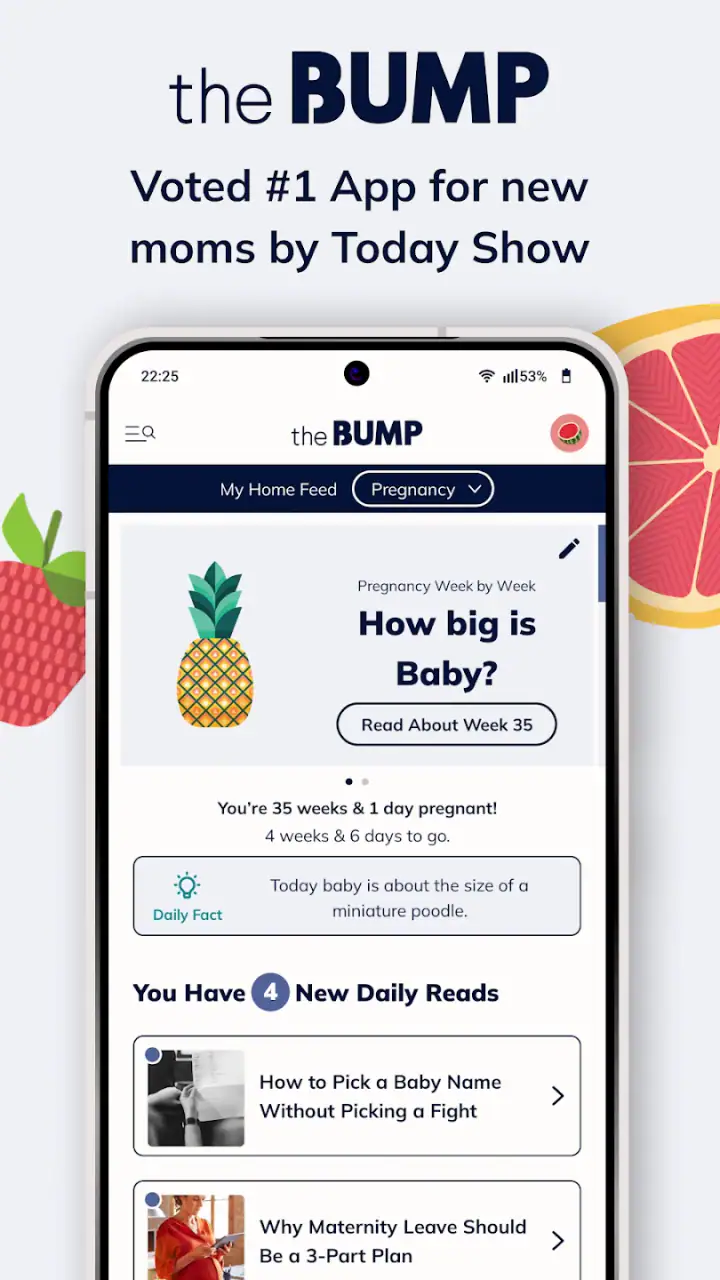
A week-by-week starting point
The central appeal is simple: you can use your current pregnancy week as an organizing point. Instead of opening a general search page and trying to decide which result applies to you, the app gives you a pregnancy-focused place to begin. I like that approach because it reduces the mental work involved in finding basic context when you are tired, busy, or dealing with a new symptom.
That week-by-week structure is also helpful for partners and relatives who want to understand what is happening without reading an entire pregnancy guide. A partner can check the current stage before a conversation, while a first-time parent can use it to turn a vague sense of change into a clearer timeline. It is not the same as personalized clinical guidance, but it can make everyday questions feel less scattered.
My practical advice is to treat each weekly update as a conversation starter, not a checklist. Pregnancy does not unfold identically for every person, and an app cannot account for every medical history, complication, or emotional response. If something concerns you, the useful action is to contact a qualified professional rather than comparing your experience too closely with an in-app description.
Latest News

Uber Eats Under Pressure: What Happens When Delivery Goes Wrong

How QR & Barcode Scanner Adapts to Android and iOS Innovations

Why Waze Navigation & Live Traffic Is Your Essential Travel Companion

CapCut Mastery: Unleash Hidden Features for Pro-Level Editing

How OS Updates Enhance Roblox Adventures

Teacher Simulator: Exam Time Turns Quick Classroom Judgments into a Repetitive Loop
Where connectivity becomes part of the experience
The app is most comfortable when your phone has a reliable connection. That matters in ordinary moments: checking an update while commuting, opening information in a waiting room, or looking something up during a conversation at home. When the network is working, the experience feels immediate and convenient because the phone becomes the place where pregnancy information is already within reach.
Connectivity also changes how casually you can use it. A strong connection encourages quick, repeated visits: open the app, read a little, close it, and return later. A weak or interrupted connection makes that same habit less dependable. I would not build an important appointment plan around being able to access a particular page at a precise moment. For anything essential, I would keep the relevant details somewhere I can reach without relying on the app opening perfectly.
This is an important distinction between a connected pregnancy companion and a printed book. A book is predictable once you own it, but it can feel broad and less tied to your current stage. The app is easier to consult in the moment, yet the phone, network, and app session all become part of the experience. I see that trade-off as worthwhile for casual guidance, but not for information that must be available in an emergency.
Gallery
Using it in short mobile sessions
Pregnancy information is often consumed in fragments rather than long reading sessions. You may have a few minutes before work, while waiting for an appointment, or after remembering a question late at night. This app suits that pattern better than a long-form guide because its purpose is to keep the current stage visible and understandable without demanding a large block of time.
I found a short-session habit more useful than trying to read everything at once. Open it when you have a specific reason, note what seems relevant, and close it before the amount of information becomes overwhelming. That approach is especially helpful for someone who is already receiving a lot of advice from family, social media, books, and healthcare professionals.
A realistic example would be a person at work who notices a new change and wants general context before deciding whether to mention it at an appointment. The app can help frame the question and make the appointment conversation more focused. It should not be used to decide that a symptom is harmless simply because it appears during a particular week. The value is in preparation, not diagnosis.
What happens when the connection fails
Network problems are not only technical annoyances in a pregnancy app; they affect trust. If I open a tool expecting quick reassurance and it does not load, I may feel more frustrated than I would with an ordinary entertainment app. That is why I recommend using BabyCenter as one part of a broader routine rather than making it the only place where you keep important information.
My recovery habit would be straightforward. First, check whether the problem is temporary by trying again later or moving to a more reliable connection. Second, write down the question that led you to open the app, so the failed session does not make you forget it. Third, use a trusted healthcare contact when the matter is urgent or worrying. This workflow prevents a loading problem from turning into either unnecessary panic or dangerous reassurance.
It is also sensible to prepare before leaving home if you know you will be traveling through areas with unreliable service. Read the material you expect to need while connected, and keep appointment times, questions, and contact details in a separate place. I am not treating that as a promise that the app works without a network; it is simply a practical way to avoid depending on a live connection at the worst possible moment.
Being thoughtful about information and attention
Pregnancy apps can be helpful, but they can also encourage frequent checking. That is not always beneficial. If every minor sensation sends you into another search session, the app may add anxiety instead of reducing it. I would use it at a deliberate pace, with a clear question in mind, rather than repeatedly refreshing it for reassurance.
There is a second kind of data-conscious use: deciding what you want to share and what you prefer to keep private. Before entering personal details into any health-related service, I recommend reading the app’s current privacy information and reviewing the permissions or account choices shown on your device. I would also avoid placing highly sensitive notes in a general app unless I understood exactly how those notes were handled. That is good digital hygiene, not a criticism aimed specifically at BabyCenter.
The app’s teen content rating is worth noticing because it signals that the material is intended for a broad audience rather than only for adults. That may make it easier to share with a younger expectant parent or a family member, but it does not mean every topic will match every person’s emotional needs. Some users will prefer a more clinical tone, while others may want more emotional support than a week-by-week tracker provides.
Strengths that become clearer with regular use
The strongest feature, in my view, is continuity. A single search can answer one question, but a pregnancy tracker encourages you to return to the same place as the pregnancy progresses. That repeated structure helps users notice the larger timeline instead of treating every week as an isolated event.
Another advantage is accessibility. Because it is free, the financial barrier is low, which matters when families are already planning for medical visits, equipment, leave from work, and a new household budget. The large user base also makes it feel less like an experimental niche tool and more like an established companion, although popularity should never be confused with medical authority.
I also appreciate the way a mobile app can involve a partner without requiring that person to read an entire book. A couple can look at the same current stage, discuss what they want to ask at the next appointment, and use the app as a shared reference point. That can be particularly useful when one person is experiencing the physical changes and the other is trying to understand how to be supportive.
Limitations I would consider before installing
The first limitation is that broad pregnancy information cannot replace personalization. Two people at the same stage may have completely different symptoms, medical histories, and care plans. If you want a tool built around detailed clinical records, direct professional communication, or a highly individualized care plan, this app may not be the best primary choice.
The second is the risk of information overload. A person who already follows several pregnancy newsletters, forums, books, and social accounts may find another stream difficult to manage. In that situation, the app is more useful when it becomes the main general reference rather than one of many competing sources. Otherwise, the convenience of having information available can turn into a constant feeling that there is more to read.
The connected nature of the experience is another trade-off. It is excellent for quick access when the phone and network cooperate, but I would choose a printed reference or saved personal notes for situations where dependable access matters more than freshness. This is especially relevant during travel, in medical waiting areas with poor reception, or when battery and connectivity are limited.
Finally, the app may not satisfy someone looking mainly for a fertility planner, a newborn feeding log, or a specialized medical record. Its identity is pregnancy-focused, with development and growth as the central reason to return. If your needs have moved beyond that purpose, a different category of app may serve you better.
Who should use it and who should skip it
I would recommend it to first-time parents who want a simple weekly framework, partners who need an accessible way to follow along, and experienced parents who want a convenient refresher without buying another book. It is also a sensible option for anyone who prefers checking a phone during small gaps in the day rather than reading long chapters.
I would be more cautious about recommending it to someone who becomes anxious through repeated symptom searches. That person may benefit more from a direct question list for a healthcare professional and a limited information routine. I would also steer users with complex medical needs toward professional guidance first, using the app only for general background if it feels helpful.
Compared with a printed pregnancy guide, BabyCenter is more convenient and easier to revisit at the current stage, but less dependable as a physical reference when connectivity is poor. Compared with a search engine, it offers a more focused starting point and less random browsing, but it still should not be treated as a diagnostic authority. Compared with a specialist medical app, it is likely to feel more approachable for general pregnancy tracking, while a specialist tool may be better when records, clinical communication, or condition-specific monitoring are the priority.
My final view on connected pregnancy support
After using it as a week-by-week companion, I see Pregnancy App & Baby Tracker as a practical general-purpose option rather than an all-in-one pregnancy care system. Its free access, clear focus, and mobile format make it easy to fit into everyday life. The fact that BabyCenter has maintained it for many years and that it has reached over 10 million installs adds confidence that it is an established product, not a short-lived experiment.
The best results come from giving it a defined job: help me understand the current stage, organize questions, and stay engaged with the pregnancy timeline. It works less well when asked to diagnose symptoms, replace a clinician, or remain the sole source of important information during a network failure. My main recommendation is to use it for context and preparation, while keeping medical decisions and urgent concerns with qualified professionals.
If that balance suits you, the app is easy to justify, especially because it costs nothing to start. I would install it for the continuity and convenience, use it in short intentional sessions, and avoid letting its availability turn into constant checking. For an expectant parent who wants a friendly pregnancy tracker that fits naturally into a phone-based routine, it is a strong choice. For someone seeking detailed clinical management or guaranteed access in disconnected situations, a different solution should take the lead.
FAQs for Pregnancy App & Baby Tracker
What is Pregnancy App & Baby Tracker used for?
Pregnancy App & Baby Tracker is designed to help expectant parents follow pregnancy week by week and prepare for the baby’s arrival. It may provide information about fetal development, pregnancy milestones, appointment reminders, symptom tracking, kick counting, contraction timing, weight records, and helpful checklists. It is mainly an organizational and educational tool, not a replacement for professional medical care.
Can Pregnancy App & Baby Tracker accurately calculate my due date?
The app can estimate a due date when you enter information such as the first day of your last menstrual period, conception date, or a date provided by your healthcare professional. However, the result is only an estimate because pregnancy length can vary and ultrasound measurements may change the expected date. For the most reliable dating information, always follow your doctor or midwife’s assessment.
Does the app offer reliable medical advice during pregnancy?
Pregnancy App & Baby Tracker can offer general educational content, reminders, and practical guidance, but it should not be treated as a diagnostic or emergency medical service. Pregnancy symptoms differ from person to person, and information in the app may not apply to your specific situation. Contact a qualified healthcare professional about concerns, and seek urgent help for severe or unusual symptoms.
What information do I need to enter, and is my data private?
You may be asked to provide details such as your pregnancy dates, symptoms, weight, appointments, baby names, or daily activity. Some features can also involve personal health information, so it is important to review the app’s privacy policy before creating a profile. Check what data is stored, whether it is shared with third parties, and how you can delete your account or records.
Is Pregnancy App & Baby Tracker free to download and use?
The app may be available as a free download while offering optional premium features, subscriptions, or in-app purchases. Depending on the version, advanced tracking tools, detailed articles, personalized content, or an ad-free experience may require payment. Before starting a trial or subscription, review the pricing, renewal terms, and cancellation instructions shown in the Google Play Store or Apple App Store.
Pros
- Tracks pregnancy milestones
- symptoms
- and appointments in one place.
- Provides useful weekly updates about fetal development and body changes.
- Baby kick and contraction counters are convenient during late pregnancy.
- Includes helpful checklists for hospital bags and newborn preparation.
- Simple interface makes daily tracking quick and easy.
Cons
- Some advanced features may require a premium subscription.
- Information is general and should not replace professional medical advice.
- Frequent reminders can feel overwhelming for users wanting a quieter experience.
- Personalization options may be limited for unusual pregnancy circumstances.
- The app may collect sensitive health and pregnancy-related data.


